Install Thunderbird in Debian 8
Lets begin by downloading Thunderbird.
Visit the official Thunderbird site https://www.mozilla.org/thunderbird/ and click on Download button.
This will download a file like thunderbird-xx.x.x.tar.bz2 where “x” is the current version of Thunderbird.
Lets move that file in /usr directory.
sudo mv ~/Downloads/thunderbird-xx.x.x.tar.bz2 /usr/
Go to /usr and decompress Thunderbird:
cd /usr
sudo tar xvf thunderbird-xx.x.x.tar.bz2
Remove the compressed file:
sudo rm thunderbird-xx.x.x.tar.bz2
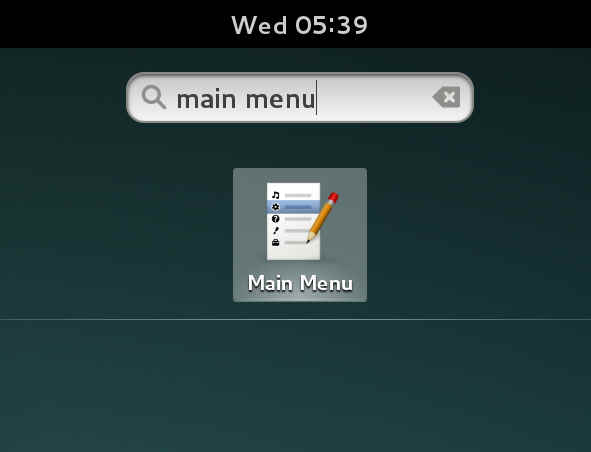
lets create the launcher. Press the “Super Key” (this one is located on your keyboard between “ctrl” and “alt”. In windows world is also called “Windows Key”)
then type “main menu”

Click on “Internet” on the left side and then click “New Item” :
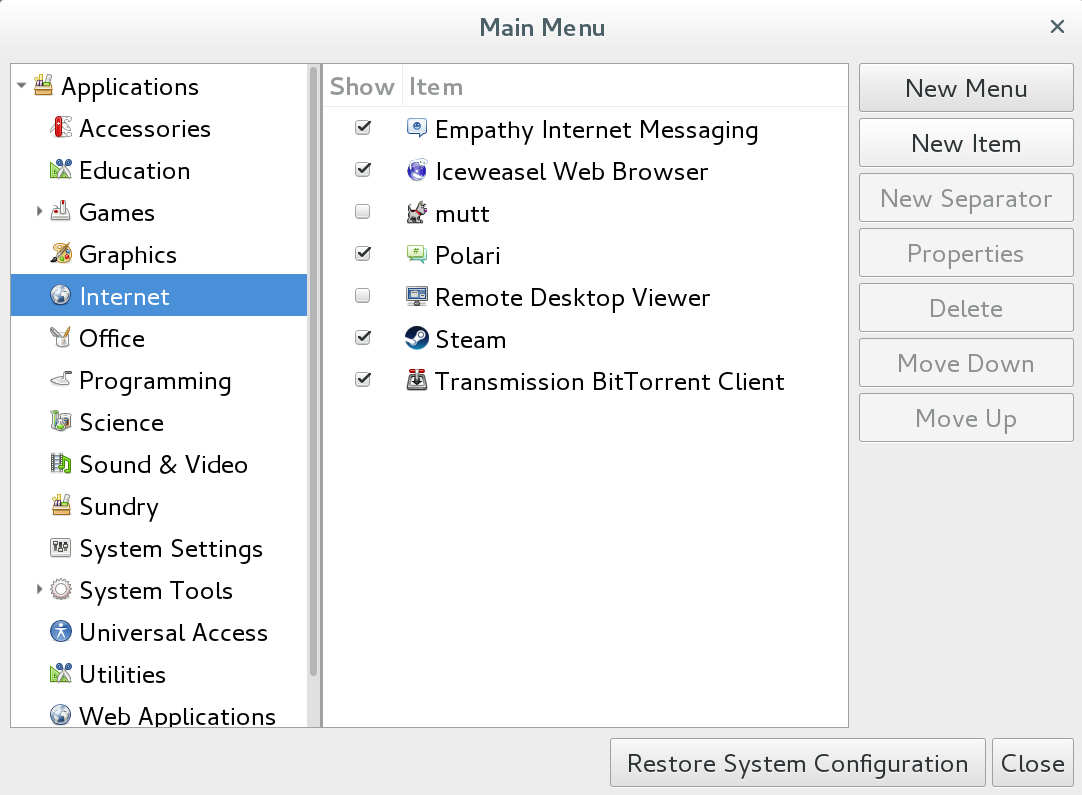
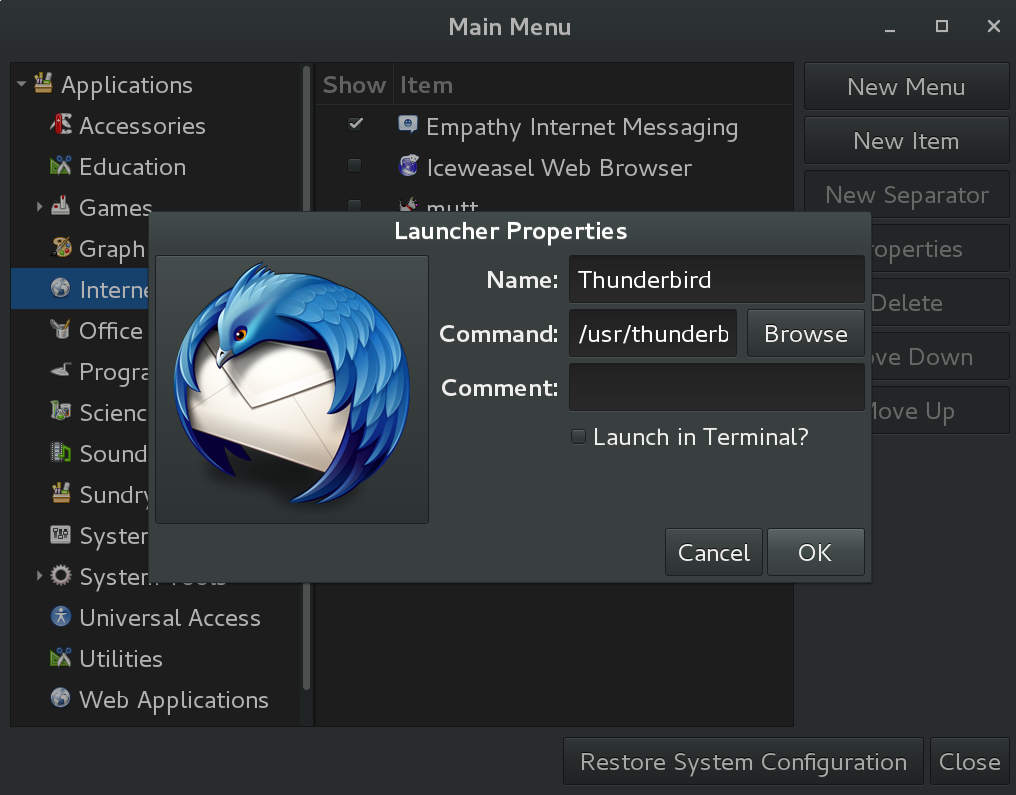
Now on the top left side there is an empty icon button press on that and navigate to:
computer -> usr -> thunderbird -> chrome -> icons -> default and select the default256.png
for name use “Thunderbird” and for Command use “/usr/thunderbird/thunderbird-bin”
Now Thunderbird is installed and ready to run. to execute Thunderbird press the “super key” and type Thunderbird.
Note icons might need a restart in order to appear correctly.